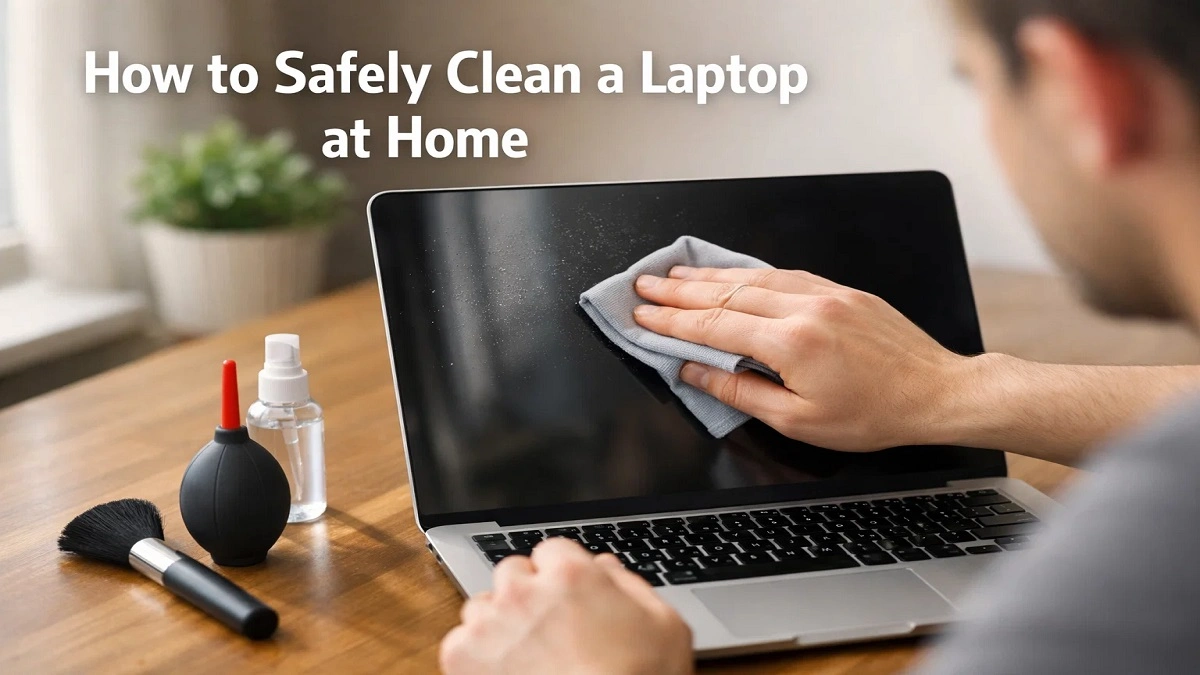
You shut your laptop and see your keyboard covered in crumbs, your screen covered in fingerprints, and your laptop fan sounding like a jet engine… so we will see about how to safely clean a laptop at home.
This is something every laptop user in India is facing. Dust entering through the windows, crumbs from snacks while you use your laptop, and even monsoon rains slowly make your laptop dirty.
Here’s the thing. Most people avoid cleaning their laptops because they’re scared of breaking something. And trust me, that fear is valid. Because, let’s face it, one wrong move with liquid or pressure, and you’re ruining your screen or your keyboard.
Let me be real with you. Learning how to clean your laptop at home, if you follow the right steps, is completely safe, trust me, and actually very easy.
You don’t have to worry, you don’t have to buy any expensive tools, as most of the stuff you need, you already have at home.
If you want a Samsung mobile phone under 5000, your options are extremely limited due to the new stock.
Before You Start: Never Do These Things
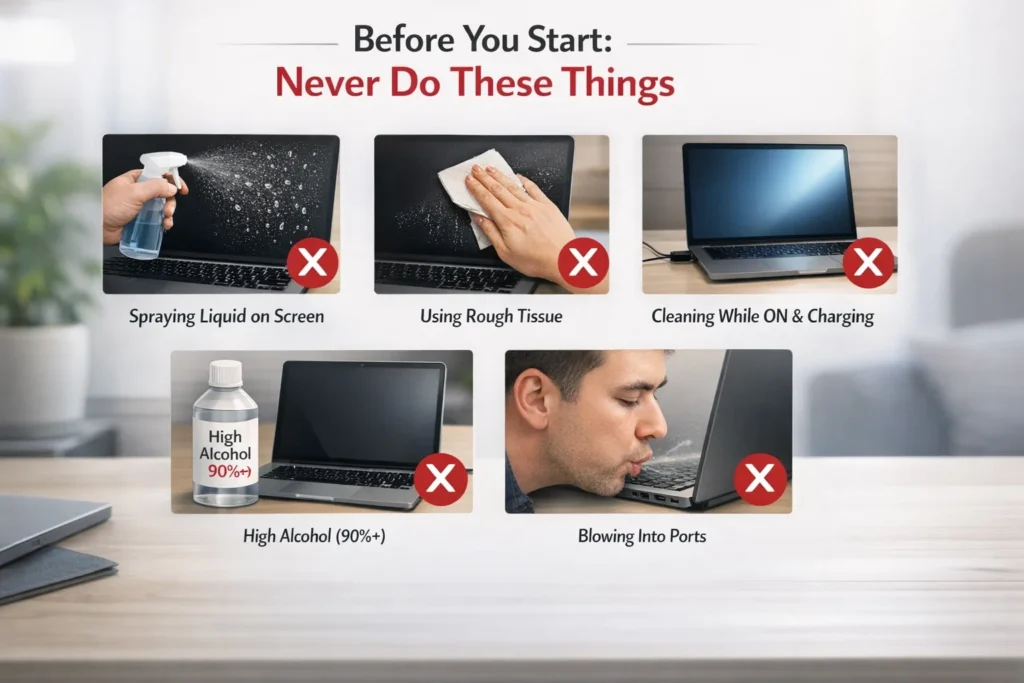
- Never spray water or liquid on your laptop.
- Don’t use tissue paper on your screen.
- Do not ever clean your laptop while it is ON or charging.
- Don’t use alcohol of more than 70% on your Screen.
- Never blow air into your laptop ports using your mouth.
What You Will Need (Tools Checklist)
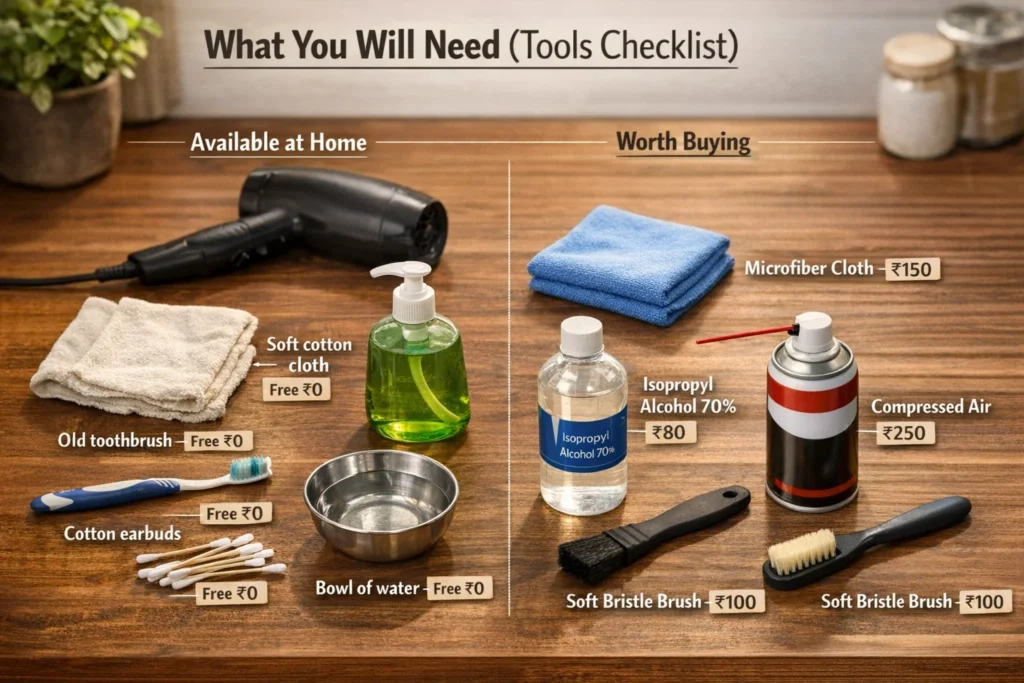
Available at Home:
- Soft cotton cloth (Free)
- Old Toothbrush (Free)
- Cotton earbuds (Rs. 20-50)
- Mild Dish Soap (Rs. 50)
- Boiled & Cooled Water (Free)
- Hair Dryer with Cool Setting (Already Available)
Worth Buying (Under Rs. 500 total):
- Microfiber Cloth (Rs. 150)
- Isopropyl Alcohol 70% (Rs. 200)
- Compressed Air Can (Rs. 300-400)
- Soft Bristle Brush (Rs. 100)
Full Cleaning Kit Available Under Rs. 500 on Amazon India.
Before You Start: Safety Steps
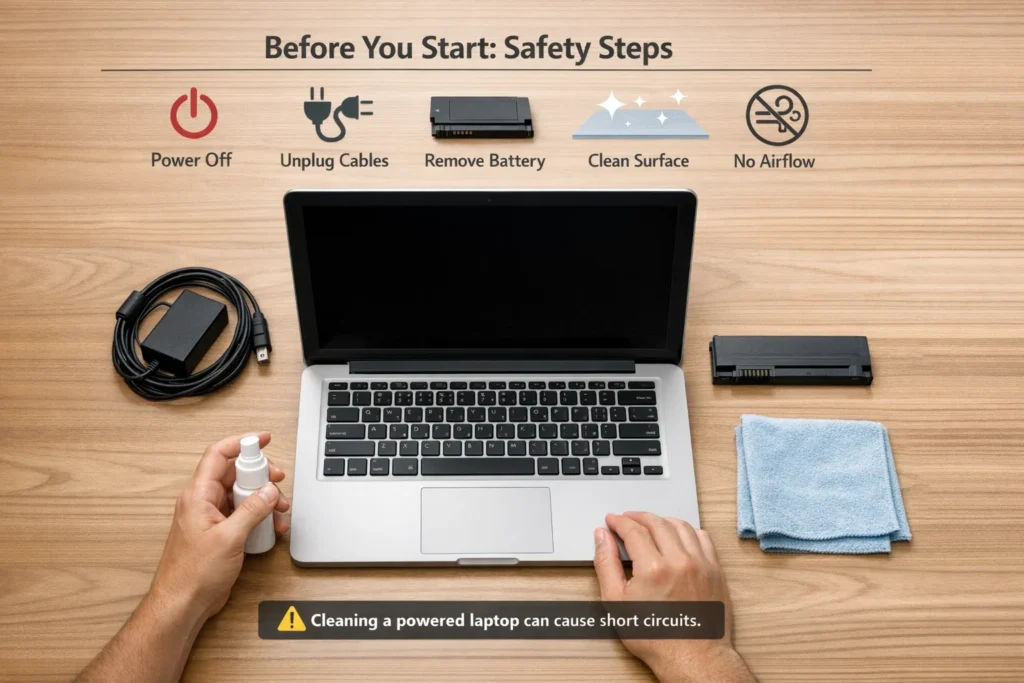
- Step 1: Switch off your laptop completely. Sleep mode does not count.
- Step 2: Disconnect everything else, charger and all.
- Step 3: If possible, take the battery out.
- Step 4: On a clean, flat surface.
- Step 5: To help clean spills, keep a dry cloth handy.
- Step 6: Avoid putting the laptop under a fan or an AC air flow.
Warning: A short will occur if you clean with a powered laptop.
How to Clean a Laptop Screen?
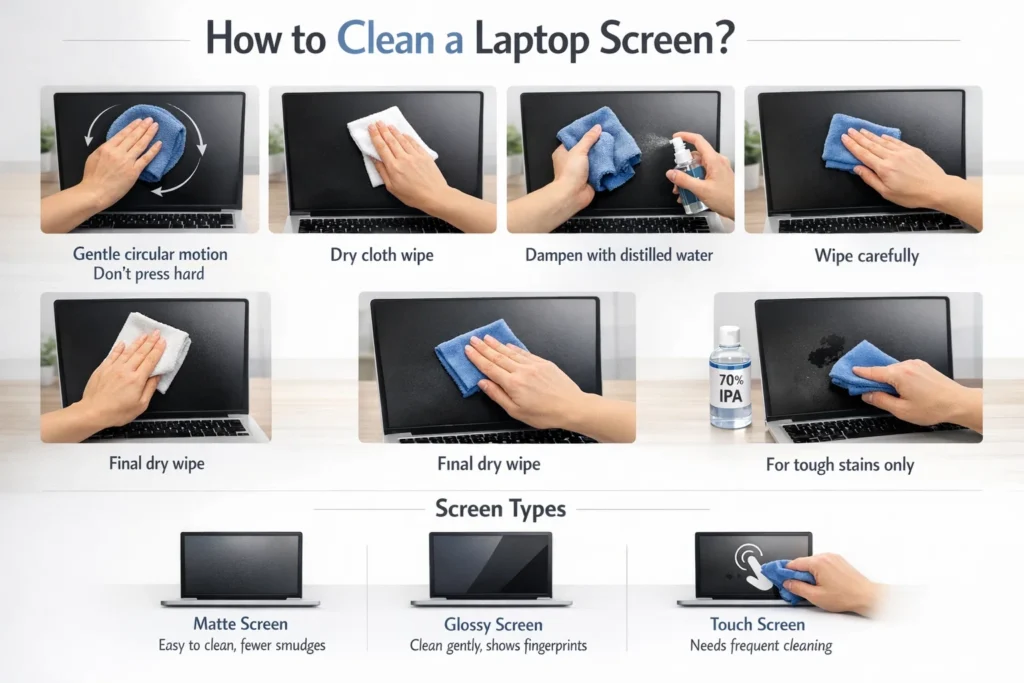
Knowing how to properly clean a laptop screen is important, as it is the most delicate part.
Steps:
- Step 1: Scrub in circular motions with a gentle amount of pressure. When you push too hard, it will break your laptop screen.
- Step 2: For your laptop screen, run a dry cloth over it.
- Step 3: Lightly wet your cloth with distilled water.
- Step 4: Wipe the laptop screen.
- Step 5: Wipe the laptop screen with a dry cloth.
- Step 6: Use a slightly damp cloth with 70% IPA, not your laptop screen, and clean stains off the computer screen.
Screen Types:
- Matte Screen: Easy to clean, no smudges
- Glossy Screen: Gently clean the laptop screen
- Touch Screen: Frequently clean the laptop screen
Pro Tip: Never clean your laptop screen under the sun. It will only leave streaks.
DO vs DON’T:
| DO | DON’T |
|---|---|
| Use microfiber cloth | Use tissue paper |
| Use distilled water | Use tap water |
| Clean gently | Press hard |
How to Clean a Laptop Keyboard
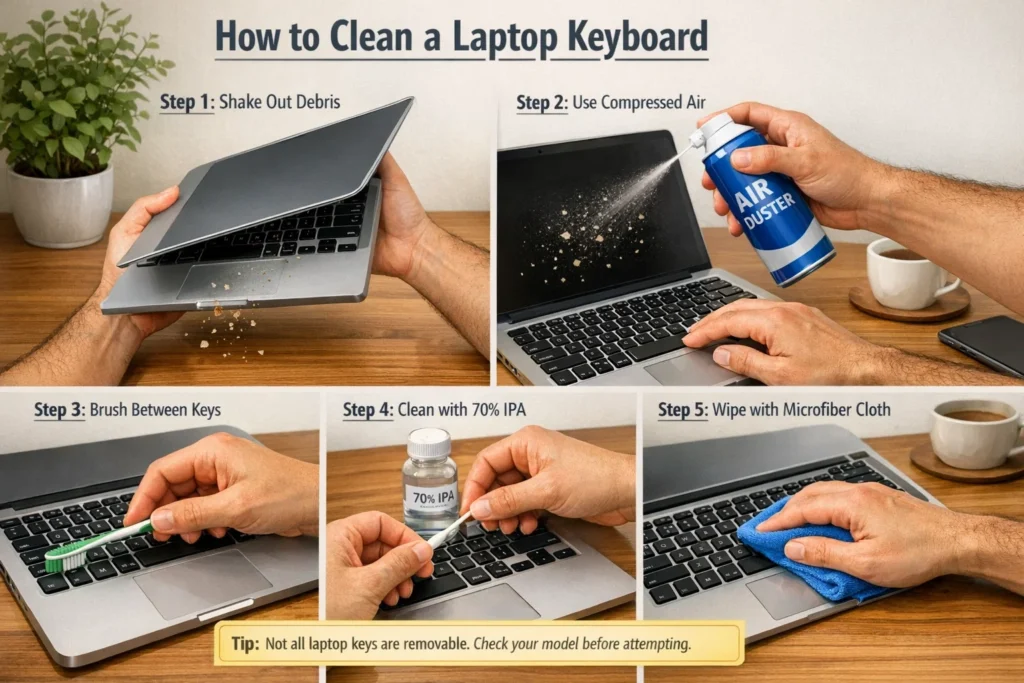
- Step 1: Shake the laptop upside down a little.
- Step 2: Use a can of compressed air to spray in between the keys.
- Step 3: Use a toothbrush for items stuck between the keys.
- Step 4: Clean the keys with a cotton earbud saturated in 70% IPA solution
- Step 5: With a microfiber cloth, wipe down the pieces.
Sticky Main Tip
Removal of keys is possible in some laptop models, but not in all. HP and Dell laptop models have clips.
Please consult the user manuals of HP India or Dell India.
Pro Tip: If you like to have your meals around your laptop, you should buy a keyboard cover for your laptop, which costs around Rs 200-Rs 400. It will save you a lot of laptop cleaning effort.
DO vs DON’T:
| Blow with the mouth | DON’T |
|---|---|
| Use compressed air | Blow with mouth |
| Use IPA 70% | Use water directly |
| Clean gently | Pull keys forcefully |
How to Clean Laptop Body and Touchpad
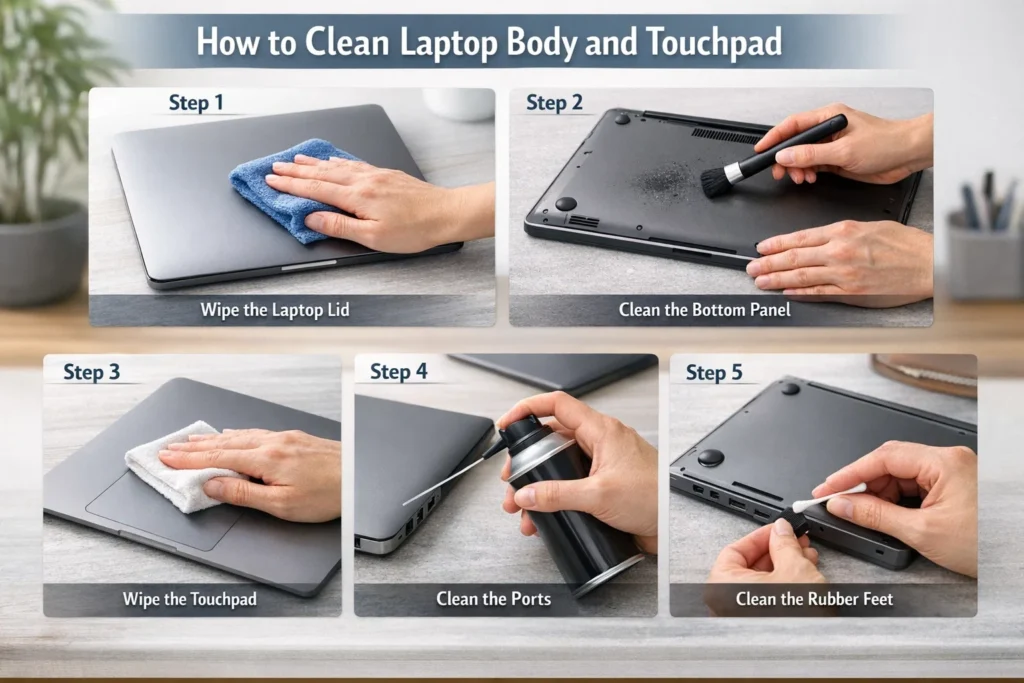
- Step 1: Wipe down the laptop’s lid with a slightly dampened cloth.
- Step 2: Dust the bottom panel on the back that collects dust.
- Step 3: Wipe the touchpad with a dry cloth
- Step 4: Use some compressed air to blow all the ports.
- Step 5: Gently clean the rubber feet of the laptop.
Pro Tip: The bottom panel of the laptop is where most of the heat comes out. Keeping it dust-free is the best way to clean a laptop for better performance.
DO vs DON’T:
| DO | DON’T |
|---|---|
| Use dry cloth | Use harsh chemicals |
| Clean ports carefully | Insert objects inside |
How to Clean Laptop Fan and Vents (Without Opening)?
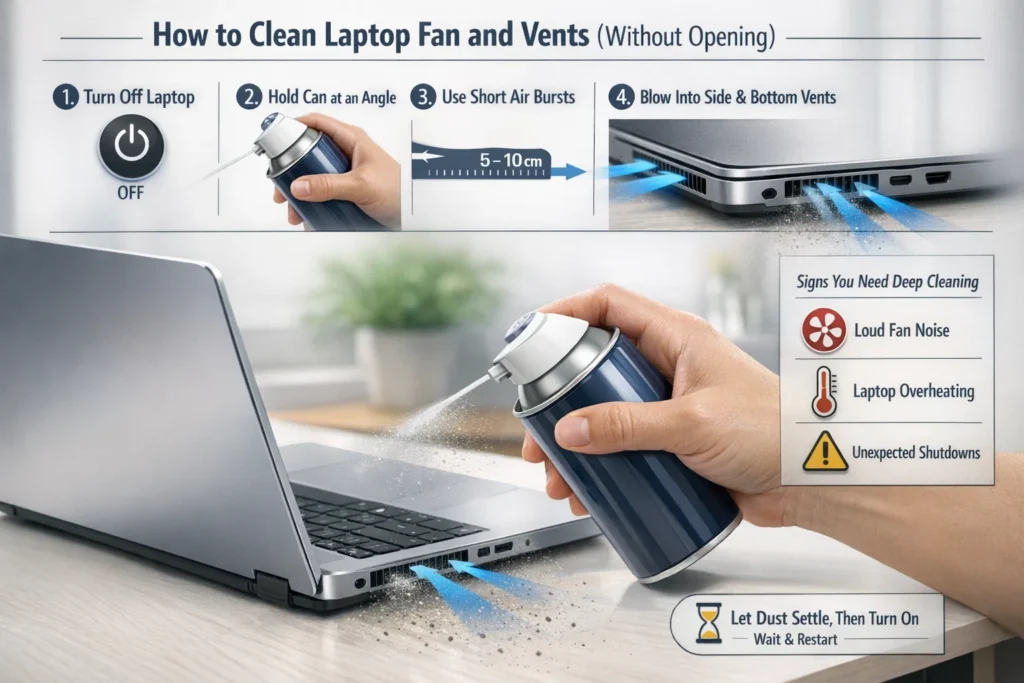
The thing is, dust in vents is the main reason behind a slow and hot laptop in India. This is important: how to clean a laptop inside without opening it.
- Step 1: Switch off the laptop.
- Step 2: Maintain a small tilt with the compressed air.
- Step 3: Give quick, 5–10 cm air blasts.
- Step 4: Blast air onto grills and vents.
- Step 5: Turn on after allowing the dust to settle.
Indications of a Deep Cleaning Needed:
- Loud fan noise
- Laptop overheating
- Unexpected shutdowns
Warning: Do Not Attempt to Open Laptop, Warranty Void
Pro Tip: You may use this guide on how to fix overheating laptops if you’re still having problems.
DO vs DON’T:
| DO | DON’T |
|---|---|
| Use short air bursts | Blow continuously |
| Maintain distance | Put the nozzle inside the vent |
How Often Should You Clean Your Laptop
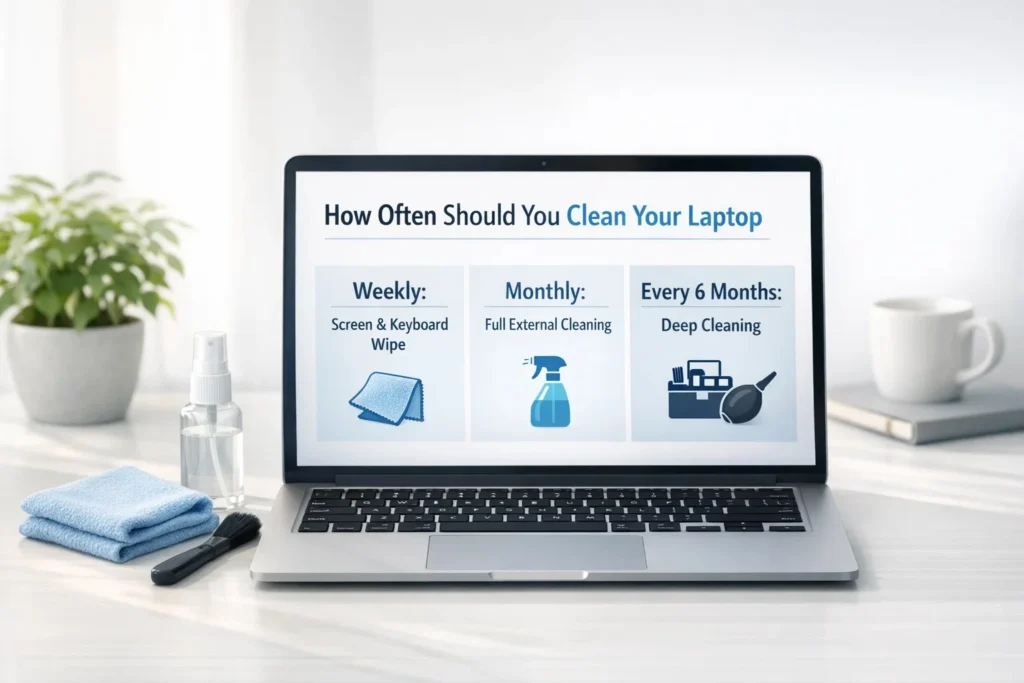
- Weekly: Screen and Keyboard Wipe
- Monthly: Full External Cleaning
- Every 6 months: Deep Cleaning
If you are in India and are living on a road or in a kitchen, cleaning is more often.
Pets at home? Double your cleaning schedule. Hair and dust can clog your laptop vents in no time.
Common Mistakes Indians Make While Cleaning a Laptop
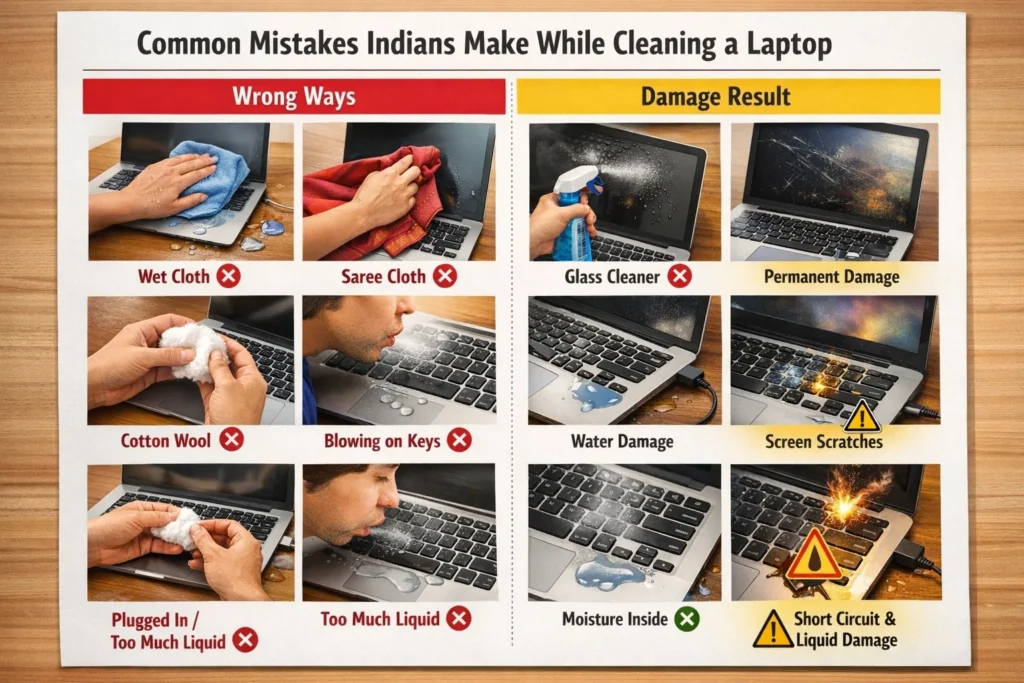
1. Using a wet cloth directly on your laptop
This will cause water to enter your laptop
2. Using a saree or a shirt cloth
This will scratch your laptop screen
3. Using Colin or a Glass Cleaner Spray
This will damage your laptop screen
4. Using cotton wool
This will leave fibers behind on your laptop
5. Blowing on your laptop with your mouth
This will cause moisture to enter your laptop keyboard
6. Cleaning your laptop when it is plugged in
This will cause a short circuit
7. Using too much liquid
Liquid damage is permanent
Quick Summary:
| Part | Tool Needed | Time Required | Frequency |
|---|---|---|---|
| Screen | Microfiber cloth | 5 min | Weekly |
| Keyboard | Air + brush | 10 min | Weekly |
| Body | Cloth | 10 min | Monthly |
| Vents | Air can | 10 min | Monthly |
| Deep Clean | Service | 30–60 min | 6 months |
Final Thoughts
You will see that it is very easy to do once you do this. Preparing a laptop for use is more than skin-deep. It can enhance its lifespan, boost performance, and prevent overheating.
If you have followed these directions on how to safely clean your laptop at home, then anything is likely broken. Then, you will revert your laptop to its base
I promise that your future self will appreciate it.
FAQs
Q1. Can I clean the laptop screen with Colin or Lizol?
Ans: No, they just have dangerous chemicals that dissolve the anti-hydrogen glare coating.
Q2. Cleaning the laptop keyboard with isopropyl alcohol: Is it safe?
Ans: Good, when 70% IPA evaporates very fast.
Q3. What to do if you spill water on your Laptop?
Ans: At first, turn off the laptop and then visit the service center.
Q4. Can I use a vacuum cleaner to clean the laptop vents?
Ans: It is not recommended. It may cause static electricity.
Q5. My laptop vents are still hot even after cleaning. What should I do?
Ans: You need to replace the thermal paste. Also, check the best gaming laptops under 50000 if your laptop is old.

I’m Pankaj Chauhan, founder of BeSureTechno. With 3+ years of hands-on tech experience, I cover smartphone reviews, laptop reviews, AI tools, and how-to guides, all based on real-world testing and personal experience.