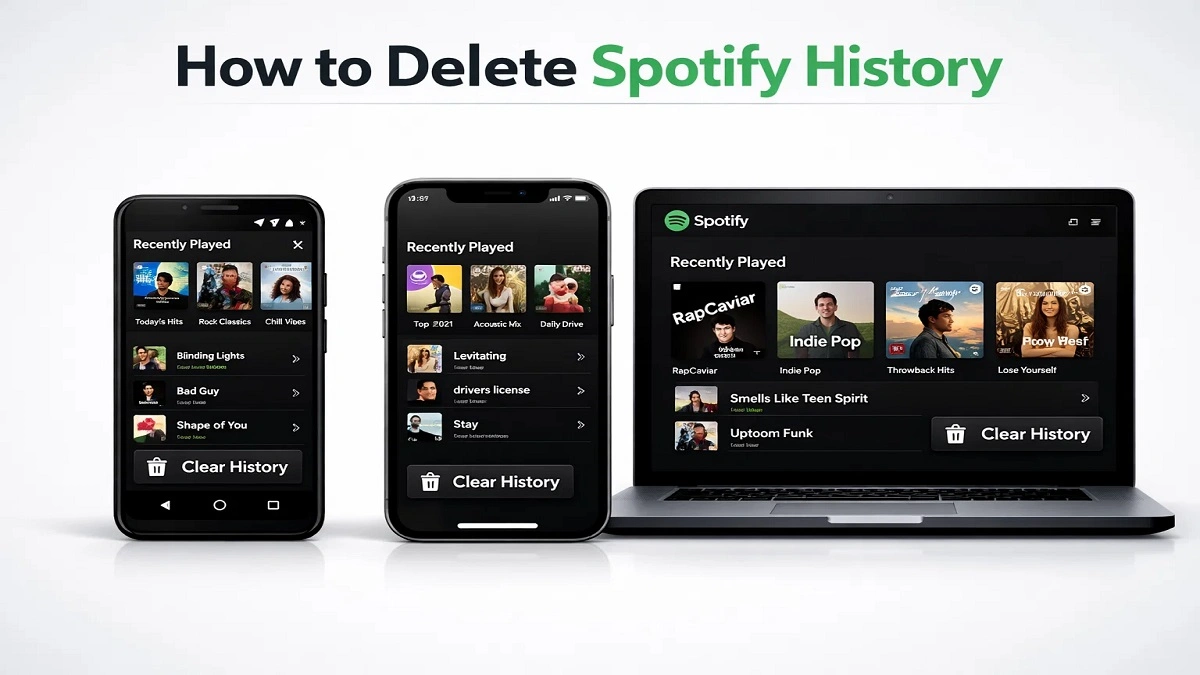
If you find yourself using the Spotify music app daily, it is very important for you to learn how to clear Spotify history. Many people look for how to clear Spotify history or even delete history on Spotify because they want to ensure that their habits on the music app remain private.
In this 2026 updated guide, you will find out how to delete Spotify history on phone, desktop, web, Android, or iPhone. We’ll also cover how to delete recently played on Spotify, podcast history, and search activity without bringing your account to a halt.
You will also understand why you can delete Spotify history, how Spotify’s algorithm works, and when users consider Spotify Alternatives Free, or even Spotify delete account options.
Quick Answer: How to Delete Spotify History?
| Device | Delete History Option | Notes |
| iPhone/iPad | Recently Played > Remove Individually | Limited |
| Android | Clear Cache + Remove songs manually | Partial |
| Desktop/ Web | Right click > Remove from recently played | Works |
| All Devices | Use Private Session/ Contact Spotify Support. | Full reset |
Important: Spotify does not currently have a one-click Spotify history delete option. You’ll need to manually remove Spotify history or contact support if you want a full reset.
What is Spotify Listening History?
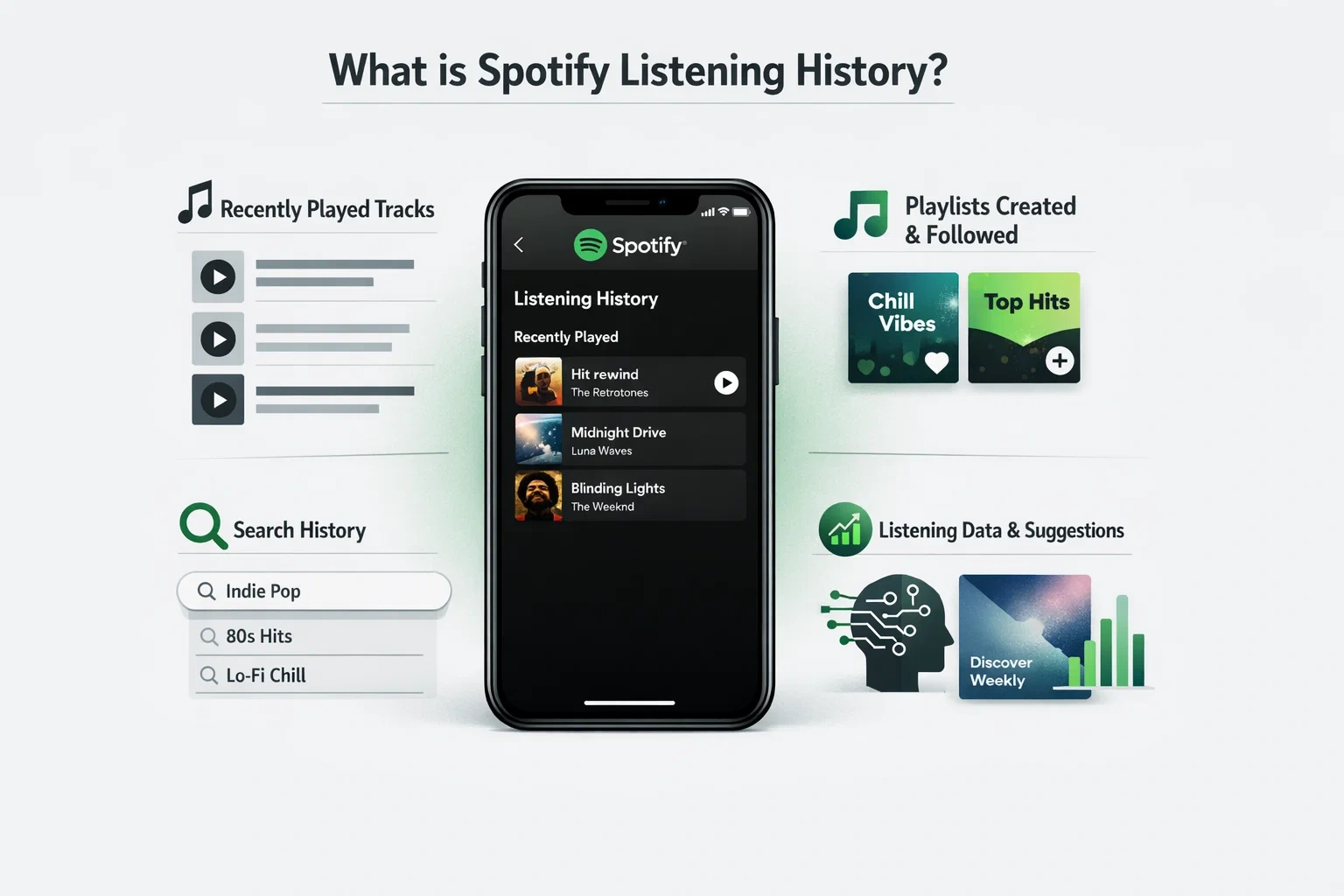
Your Spotify listening history is a list of all the songs and podcasts you listen to on the Spotify music app. This allows Spotify to suggest more great music for you. It includes things like:
- Recently Played tracks
- Playlists created or followed
- Search history on the mobile app
- Listening to data for algorithmic suggestions (e.g., Discover Weekly)
In many threads on forums, such as how to delete Spotify history Reddit threads, people are asking how to remove the songs from the Spotify algorithm because their previous habits are affecting what songs the algorithm recommends to them.
How to delete Spotify History on an Android Phone? (2026)
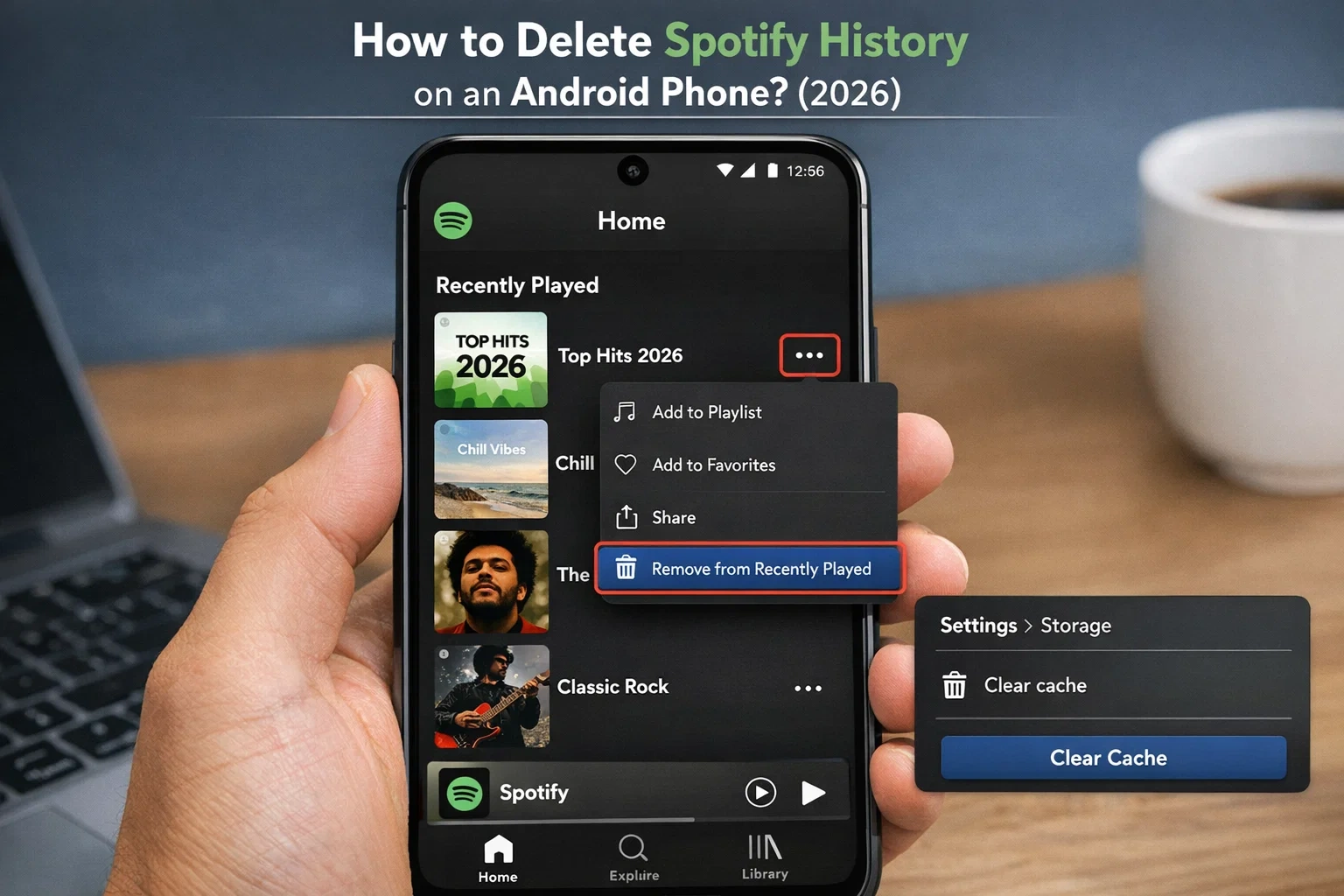
If you’re wondering how to delete Spotify history on an Android phone, here’s how:
- Open the Spotify application.
- Go to Home
- Scroll down to Recently Played
- Click on the three dots (•••) beside a song, album, or playlist.
- Click on “Remove from Recently Played.“
- (Optional) Clear Spotify history: Settings > Storage > Clear Cache.
Optional:
Go to Settings > Storage > Clear Cache
It can be helpful for delete Spotify history effectively, but it will not reset recommendations.
How to Delete Spotify History on iPhone
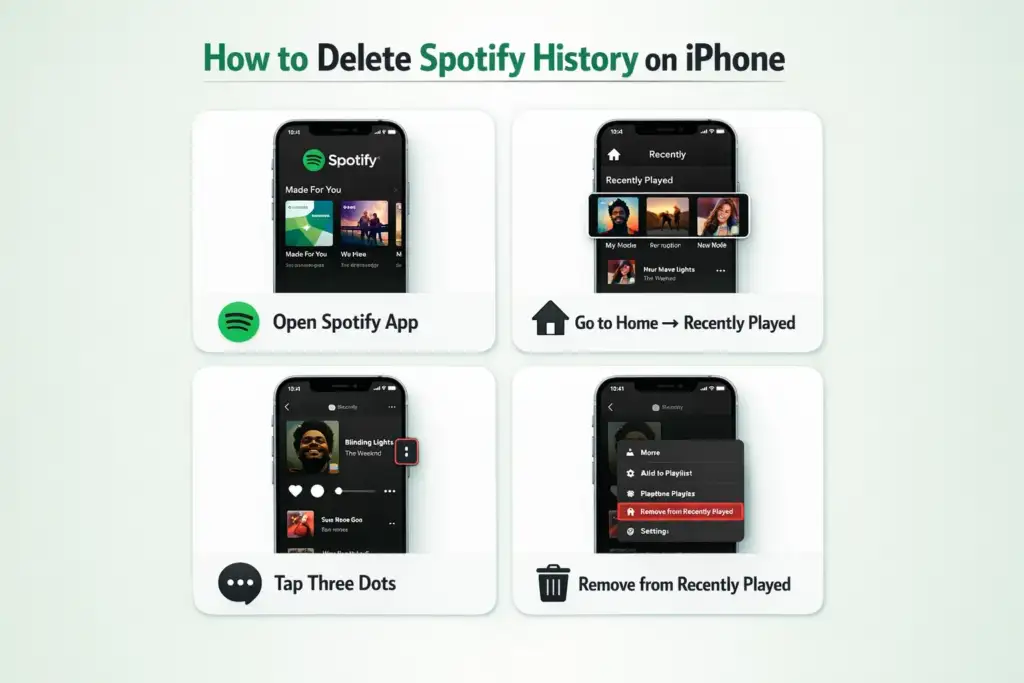
To users asking how to delete Spotify history on iPhone and delete recently played items on Spotify mobile.
- Open Spotify
- Click on Home and select Recently Played
- Tap three dots for any item
- Select Spotify, remove recently played.
This is similar to Android and will help in deleting the Spotify recent history.
How to Clear Spotify History on Desktop or Web?
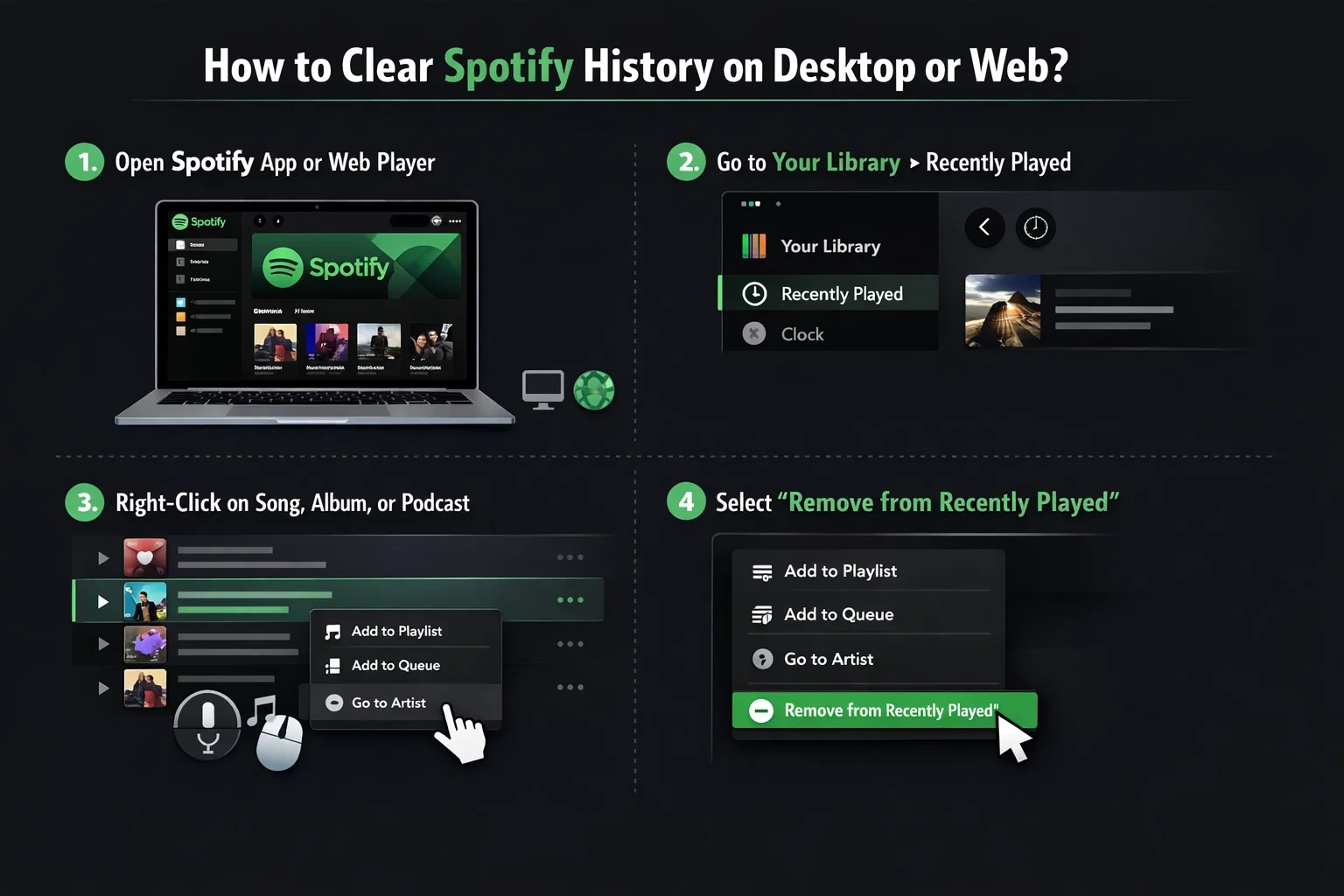
To delete Spotify history on the desktop or web player:
- Open the Spotify desktop app or Web Player.
- Go to Your Library > Recently played.
- Right-click any song, album, or podcast
- Select Remove from Recently Played
Once more, this removes it from view but not from Spotify’s recommendation database. These methods are similar to mobile if you’re asking to delete history on Spotify or the web app.
How to Delete Spotify Podcast History?
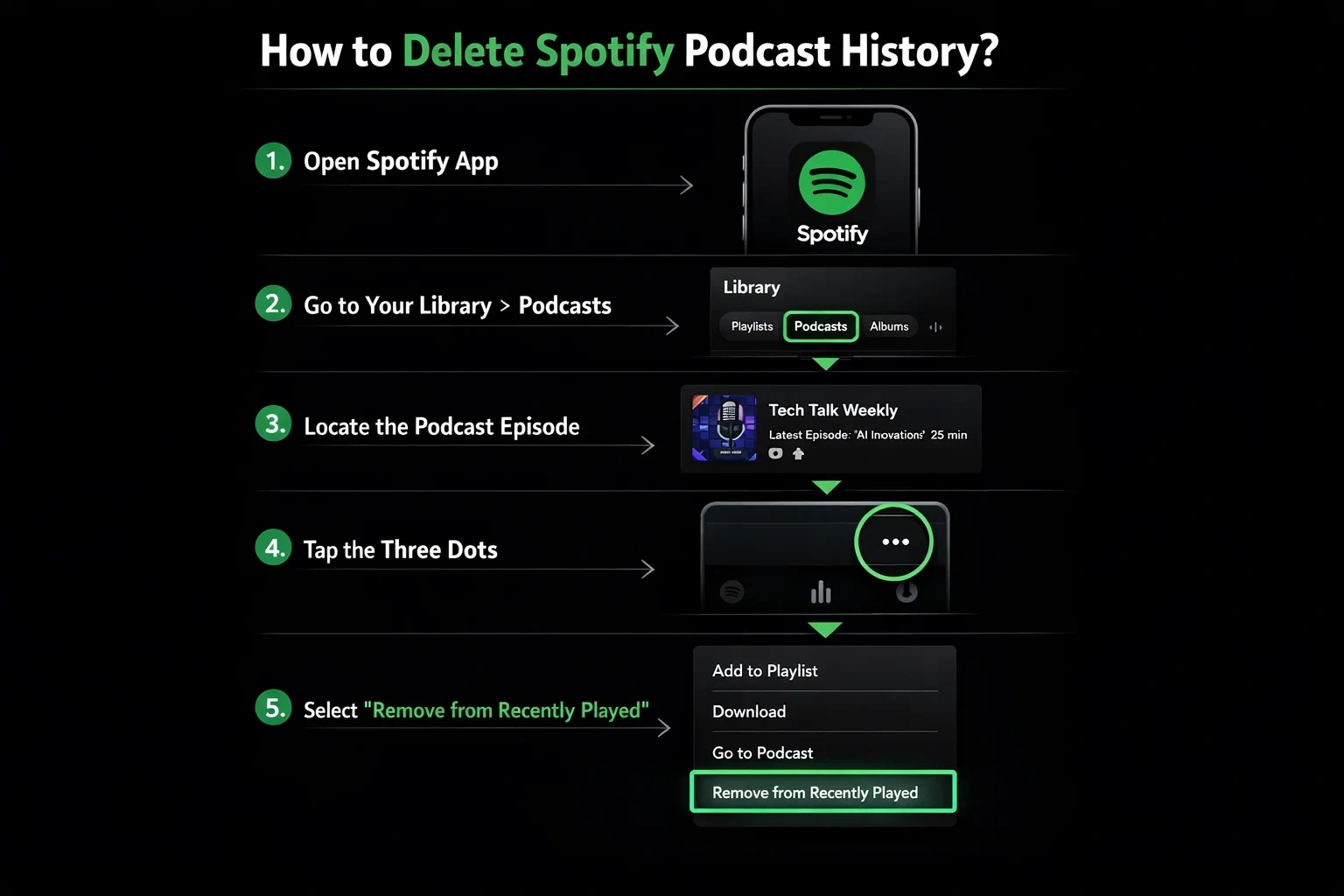
To delete Spotify history, podcasts, or specific podcast episodes:
- Open the Spotify app.
- Go to your library > Podcasts.
- Locate the episode > Tap three dots (…).
- Select Remove from Recently Played.
How to Delete Spotify Search History?
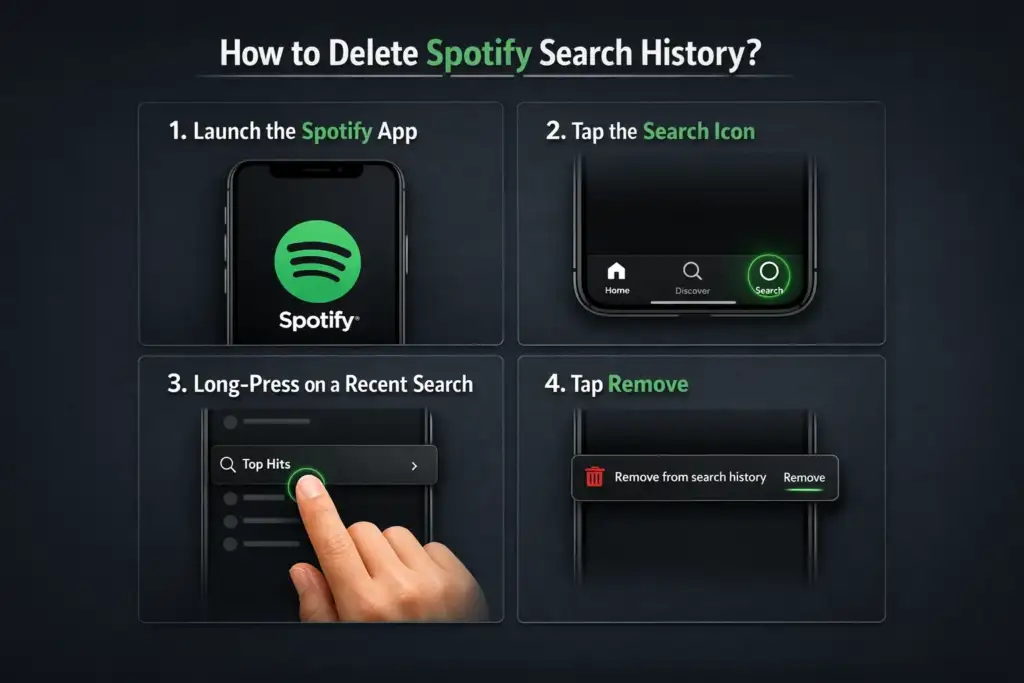
Spotify saves your search queries on mobile, particularly if you are signed in. To remove Spotify search history:
- Launch the Spotify app
- Tap the Search icon
- Long-press on a recent search > tap remove.
- Repeat for each unwanted search.
Tip: Logging out and logging in again might clear search history on Spotify.
How to Use a Private Session?
Spotify’s Private Session prevents your activity from being logged.
How to Turn On:
On Mobile/Desktop:
- Tap your Profile icon.
- Choose Settings.
- Enable Private Session.
This will avoid your listens being added to Recently Played or affecting your recommendations.
Most of the users ask, What is a Private Session on Spotify? In essence, it’s Spotify’s method to maintain your listening private so that it won’t be shown in your Spotify listening history or influence recommendations.
How to Reset Spotify Recommendations
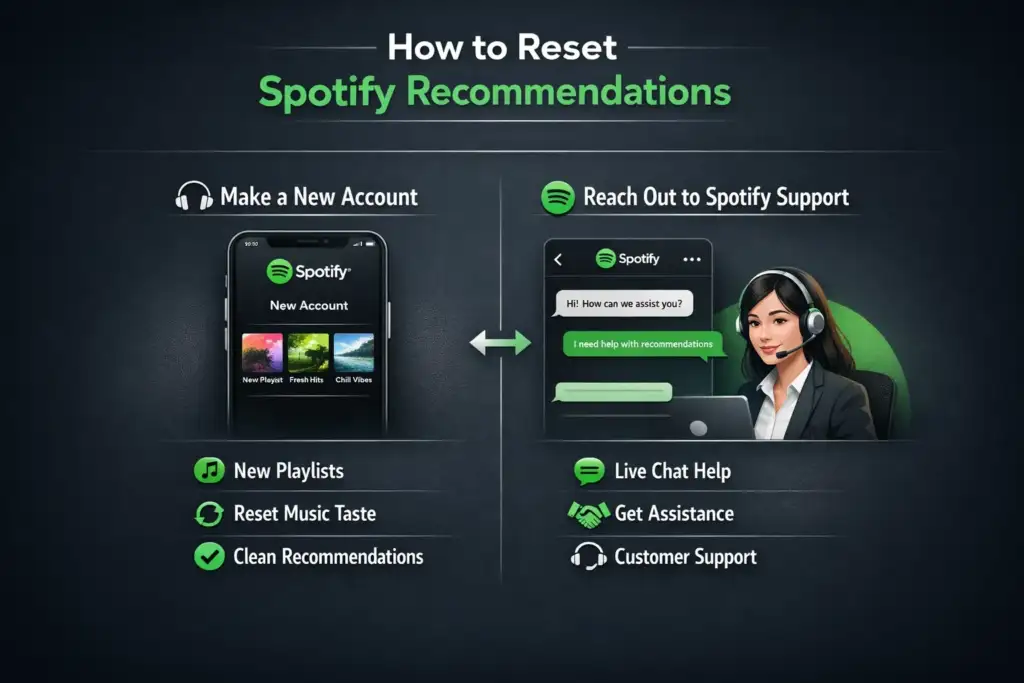
If you want to delete Spotify recents and make Spotify forget your entire listening taste, here’s what you can do:
Option 1: Make a New Account
The only way to permanently delete your Spotify history is to create a new account. However, this is at the expense of lost saved playlists and followers.
Option 2: Reach out to Spotify Support
If you don’t want Spotify, delete your account, try this:
- Go to the Spotify Support Page.
- Navigate: Account > Data and Privacy.
- Select: Delete or Reset Listening Data.
- Confirm your request.
This helps you delete Spotify history, remove all recommendations, and start clean.
Should You Delete Your Spotify Account?
Users also ask how to delete a Spotify account or how to delete an account if the history becomes unmanageable.
Only delete the Spotify account if:
- A complete reset is required
- Changing to Spotify Alternatives Free
- You don’t care about saved data
If not, then “Clear recent history + Private Session” should be enough.
Important 2026 Users Notes:
- Spotify does not currently offer a one-click “Clear All History” option.
- Some information (such as suggestions) is based on algorithms, and deleting the visual history has no impact on them.
- Private Session is short-lived and will reset after inactivity.
- Some users wait for Upcoming Spotify features to improve privacy controls
Last Thoughts: Can You Delete Spotify History?
You can manually delete items from Recently Played and erase your Spotify history. But if you want to reset your listening completely, you’ll either need to utilize Private Sessions or have to reach out to Spotify support.
FAQs:
Ans: Spotify saves your listening history for 90 days. But leaked songs and playlists remain until you delete them yourself
Ans: Open the app: Settings → Privacy & Social → turn off “Listening Activity”. This will ensure that no one can see what you are listening to. If you want to hide it temporarily, you can turn on “Private Session”.
Ans: Yes, Spotify has an “Explicit Content Filter”. With this, you can block or hide adult/explicit songs. This is useful for family or kids. To enable/disable: Settings → Explicit Content → Allow Explicit Content (turn it off).

BeSureTechno brings you the latest in technology, gadgets, gaming, and how-to guides. Stay ahead with easy tips, reviews, and updates. Explore tech with us.