In reality, chatbots have already become actively used; they are not a new invention! Every business uses websites and WhatsApp to increase sales, engage more customers, and receive faster support. Now the fun part is, how to build chatbot, without coding! Yes, absolutely for free!
In this guide, we’ll explain step-by-step how to build a chatbot from scratch using free no-code tools, which are the best AI chatbot builders, and how to use a chatbot on WhatsApp, a website, or for marketing, all in a simple way!
What is a Chatbot?
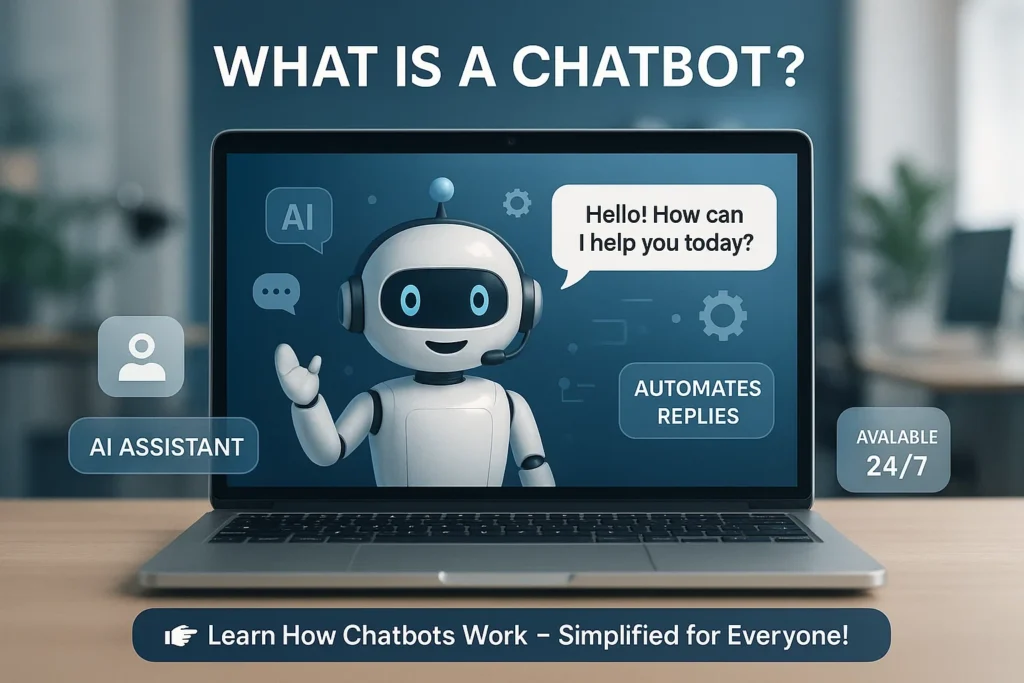
A chatbot is an AI tool that talks with clients through your website.
There are two types:
- Rule-Based Chatbots: These are chatbots that react as required with if-then logic, or specified circumstances.
- AI-based chatbots: Natural language processing allows AI-powered chatbots to learn and react logically.
Whether you want to build a simple chatbot or a conversational AI chatbot, you don’t need to understand how to code due to no-code chatbot builder software.
Why Build a Chatbot Without Coding?
Whether using Python or JavaScript, manually building a chatbot takes time and requires technical skills. However, no-code Drag, drop, and setup is made simple by AI chatbot developers.
Benefits of using chatbot builders without code:
- Faster setup
- Low-cost or free plans are available.
- AI-powered software that also connects with platforms like Shopify, WordPress, or WooCommerce
- Building a unique conversational flow without using any code.
- It’s the best method to build your own chatbot for free if you’re new to getting started.
Best Free No-Code Tools to Build a Chatbot Without Coding
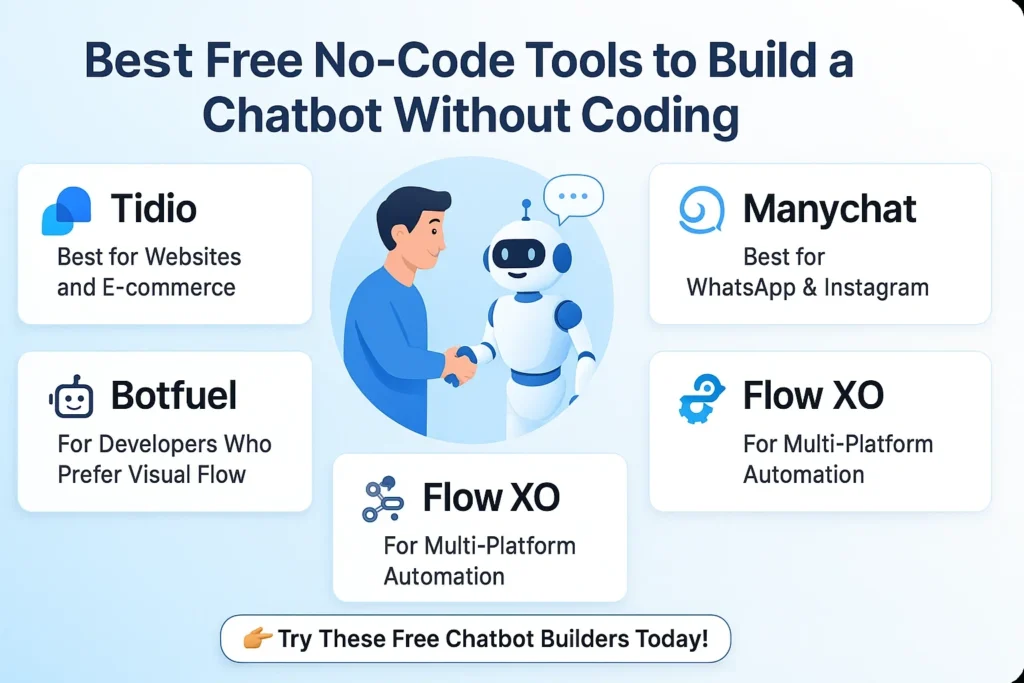
The following are some of the top free chatbot builder tools that help you create a chatbot with no programming involved.
1. Tidio – Best for Websites and E-commerce
Type: No-code chatbot builder free
Use Case: Website chat, customer support, and sales automation
Features:
- A drag-and-drop app for creating chatbots
- AI-based automation is also there
- You can link with WooCommerce, WordPress, and Shopify
Free Plan: Available
Why It’s Great: It’s perfect for small businesses because you can create a natural-language chatbot without learning any code.
2. Manychat – Best for WhatsApp & Instagram
Type: WhatsApp and Social Media chatbot development
Use Case: Marketing automation, lead generation
Features:
- Visual flow builder
- Broadcast messages
- Connects with Facebook & WhatsApp
Free Plan: Yes
Why It’s Great: Perfect if you want to build an AI marketing automation chatbot without code. Because secure data practices decrease the inappropriate use of fake identities, it also makes sure that user data is collected safely, which makes it an important step to Protect Data from AI Deepfakes.
3. Chatfuel – Best for AI-Powered Bots
Type: No-code AI chatbot builder
Use Case: Facebook Messenger, Telegram, and websites
Features:
- GPT-powered chatflows
- Personalisation options
- Analytics dashboard
Free Plan: Available basic version
Why It’s Great: Ideal to build better chatbots with AI understanding.
4. Botpress – For Developers Who Prefer Visual Flow
Type: Build chatbot from scratch-no-code + open-source
Use Case: Website chat and custom AI integration
Features:
- Flow editor
- Integrations with APIs
- Supports GPT-based AI
Free Plan: Yes (open-source)
Why It’s Great: Enables users to create a chatbot from scratch with the help of visual tools.
5. Flow XO – For Multi-Platform Automation
Type: No-code chatbot builder
Use Case: Cross-platform bots – Slack, Telegram, Website
Features:
- 100+ integrations
- Easy setup of the logic flow
- Rule-based automation
Free Plan: Yes
Why it’s great: A rule-based chatbot could be integrated with any platform.
How to Build a Chatbot Without Coding: (simple way)
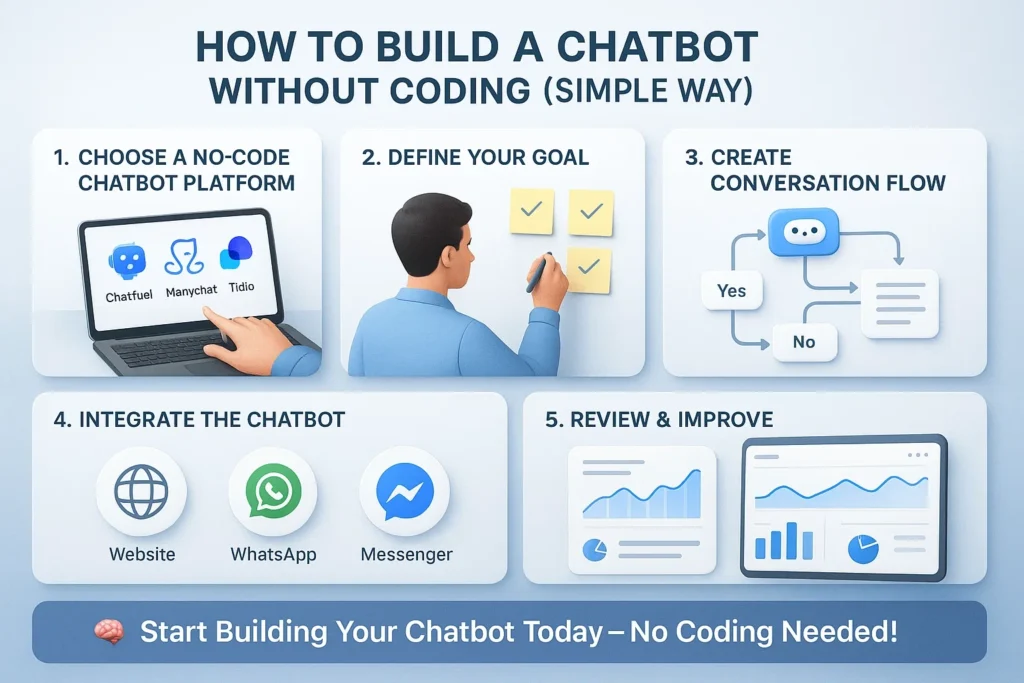
Build a basic chatbot for WhatsApp and for your website with no-code tools.
Step 1: Choose a platform that allows you to make chatbots without having to learn code.
Based on your use case, pick an AI chatbot builder that doesn’t require any code, such as ManyChat or Tidio.
Step 2: Find your goal
Consider this:
- Do you want a chatbot for support?
- A lead generation bot?
- Or a WhatsApp marketing bot?
Knowing your goal helps you design better conversation flows.
Step 3: Create Conversation Flow
Using the visual interface, drag and drop your chatbot responses.
For example:
User says: “Hello.”
Bot: “Hi! How can I provide service to you today?“
This type of fundamental chatbot can be made with rules, or better chatbots can be made by focusing on AI learning.
Step 4: Integration of the Chatbot
- For websites, copy-paste the embed code.
- Connect to WhatsApp via Manychat or Twilio integration.
This allows your chatbot to go live instantly.
Step 5: Review and Improvement
Check your chatbot’s analytics and connections on a routine basis.
Add customisation, update FAQs, and monitor performance to build better chatbots over time.
Bonus Tip: Use Python to Build Your Own Chatbot (Optional)
Python can be used to create a custom chatbot if you understand the basics of coding. For this, you can use Python libraries such as LangChain or ChatterBot.
However, keep in mind that some coding knowledge is required for this. No-code chatbot builders, such as ManyChat or Tidio, are the best option if you don’t know how to code because they’re simple and free!
Expert Tips: Things to keep in mind when building a chatbot:
- Make your chatbot sound human instead of looking artificially generated.
- To protect users from typing errors, include buttons and fast answers.
- To prevent the chatbot from becoming confused, include Frequently Asked Questions and backup comments.
- Use analytics (data monitoring) to track how users use the chatbot.
- Test and update the chatbot on a daily basis.
Conclusion: How to Create a Free Chatbot
ManyChat, Chatfuel, and Tidio are all great no-code chatbot builders for individuals who are just beginning a small business or keeping a bot active. With the support of these quick and free tools, you can easily create chatbots for social media, WhatsApp, and websites without requiring any code! In fact, you can buy an upgrade if you finally need more options. To start using, but the free version is good enough.

I’m Pankaj Chauhan, founder of BeSureTechno. With 3+ years of hands-on tech experience, I cover smartphone reviews, laptop reviews, AI tools, and how-to guides, all based on real-world testing and personal experience.